
Logo of Lordist Infotech Private Limited, an IT solutions and software development company
Illustration of warehouse logistics operations with trucks, cargo ship, airplane, delivery van, and inventory storage

WMS (Warehouse Management System)

Efficient warehouse management is the backbone of a well-structured supply chain. Lordist Infotech Private Limited provides cutting-edge Warehouse Management System (WMS) solutions designed to streamline operations, optimize inventory, and enhance productivity.

Our WMS ensures **seamless stock tracking, automated order processing, and real-time inventory visibility**, reducing errors and improving efficiency. With **smart storage allocation, location transfers, and automated reporting**, businesses can optimize space utilization and decision-making.

Features

I

Operations

  • Gate: Secure and manage entry
  • GRN: Automate goods receiving
  • Storage: Optimize space allocation
  • Transfer: Move stock efficiently
  • Stock: Ensure accurate inventory
I

Orders

  • Order: Ensure seamless deliveries
  • Pick List: Optimize order fulfillment
  • Dispatch: Deliver accurately and on time
  • Returns: Manage hassle-free order returns
  • Billing: Generate invoices effortlessly
I

Billing

  • Rate Master: Flexible pricing
  • Invoices: Accurate billing
  • Tax: Auto tax rates
  • Discounts: Special offers
  • Payments: Track dues
I

Analytics

  • Reports: Gain detailed insights
  • MIS: Make informed decisions
  • Dashboards: Visualize key metrics
  • Trends: Identify patterns and forecasts
  • KPIs: Track key performance indicators
  • Real-Time Data: Live business updates
I

Cloud

  • Scalability: Expand easily
  • Security: Keep data safe
  • Real-Time Access: Connect anywhere
  • Backup: Prevent data loss
  • Performance: Stay fast and reliable
  • Integration: Connect with systems
I

Emails

  • Automation: Auto-send reports
  • Management: Inform key people
  • Customers: Share stock updates
  • Alerts: Notify on key events
  • Customization: Personalize emails

WMS Editions

Standard (On-premise)

(Software cost)

  • On-premise (offline) deployment of application and database
  • All basic features like master data management, Gate entry, GRN, Put Away, Pick List, Dispatch, Cycle Count, Stock Adjustment, Reports, MIS, Charts and Dashboard
  • Email functionality
  • Advanced Dashboard
GET FREE TRIAL

Premium (On-premise)

(Software cost)

  • All Standard edition features
  • Billing functionality
  • Automated trigger-based email notifications to customers for GRN, Dispatch, Invoice, and Stock updates
  • Advanced Dashboard
  • Customization as per requirements on chargeable basis
LEARN MORE

Premium Cloud (Online)

(Software cost + recurring cost/month for hosting database on cloud)

  • Database in Cloud (AWS, Azure)
  • All Premium features
  • Unlimited locations/warehouses
  • Web based WMS (Master Data Management and Reporting) - Addon
  • Custom Mobile Application - Addon
  • Integration with E-Commerce sites - Addon
LEARN MORE

Premium Hybrid (Offline and Online)

(Software cost + recurring cost/month for hosting database on cloud)

  • Database at local and Cloud (AWS, Azure)
  • Software works without internet
  • Manual/auto data syncs to cloud when connected to internet
  • All Premium features
  • Unlimited locations/warehouses
  • Web based WMS (Master Data Management and Reporting) - Addon
  • Custom Mobile Application - Addon
  • Integration with E-Commerce sites - Addon
LEARN MORE

Screenshots

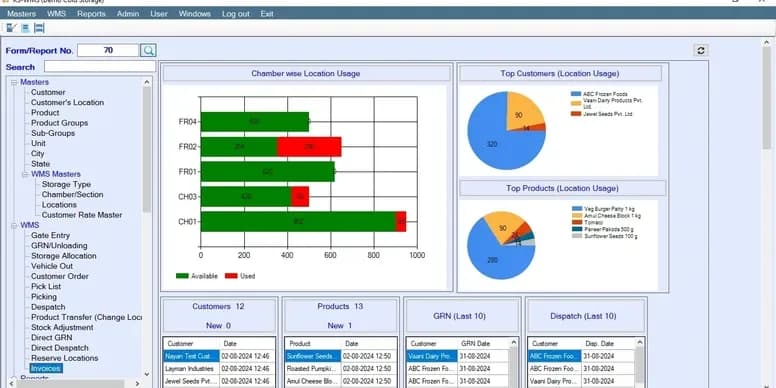
Warehouse management system main screen showing dashboard, inventory control, and navigation menu
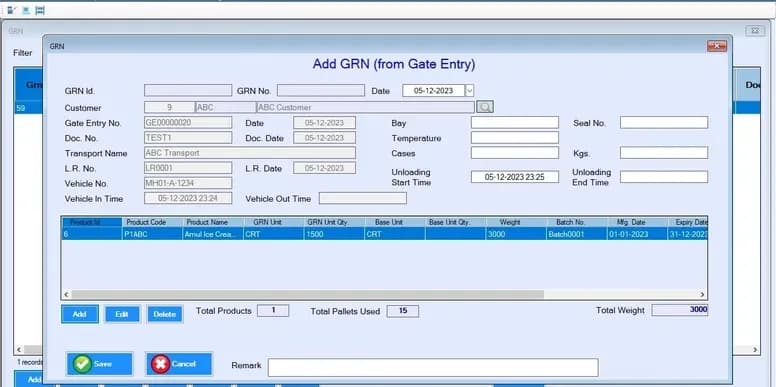
Warehouse management system GRN screen for entering goods receipt details with supplier and product information
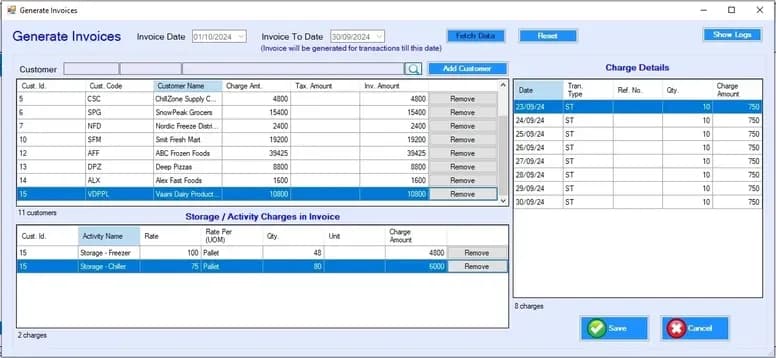
Warehouse management system generate invoices screen for billing management and automated invoicing
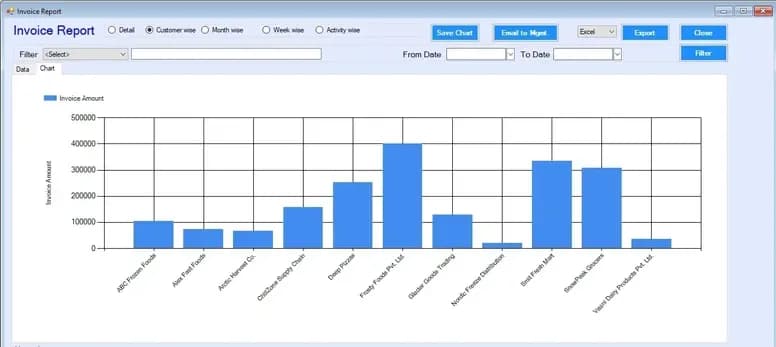
Warehouse management system invoice reports dashboard with billing analytics and financial summaries
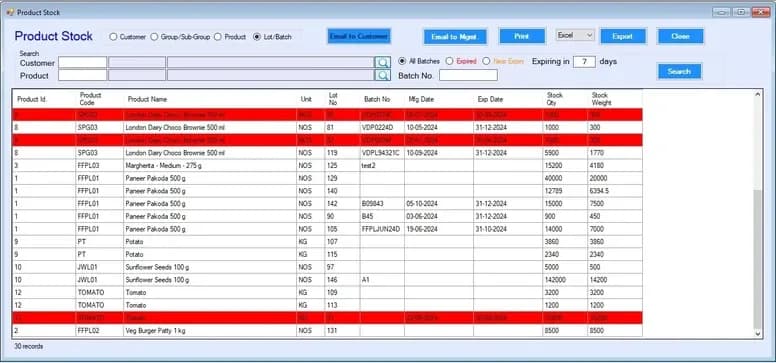
Warehouse management system stock report showing inventory tracking, product quantity, and batch details
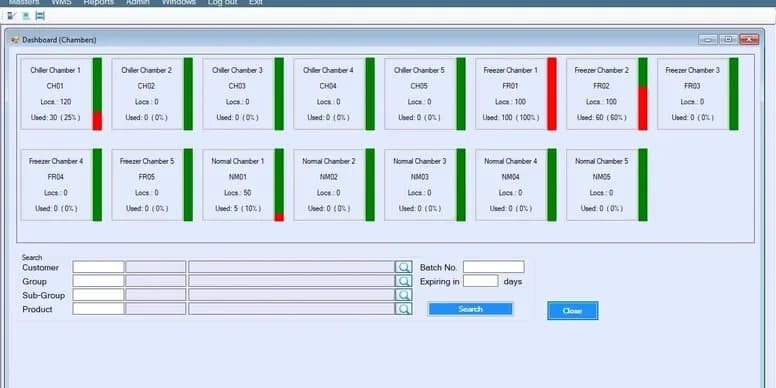
Warehouse management system dashboard showing chambers, storage locations, and inventory levels for efficient space management

WMS (Web)

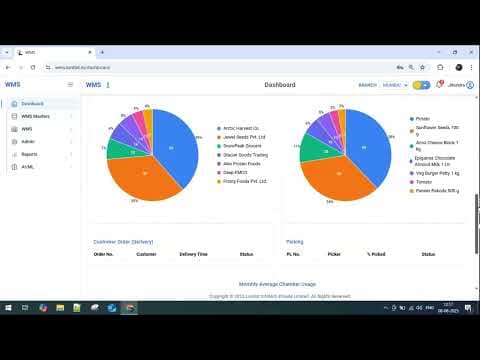
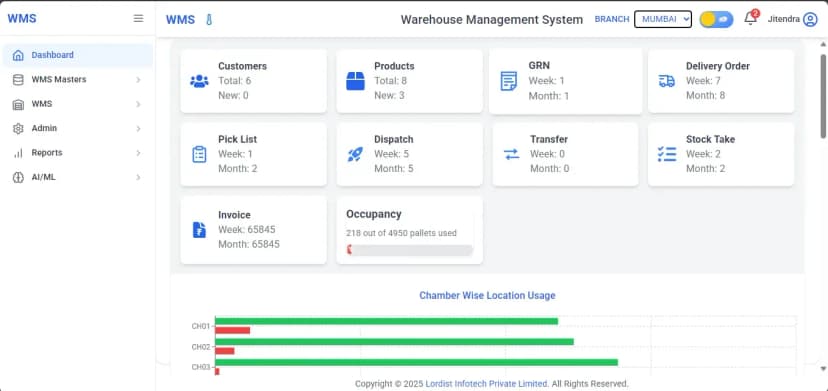
Warehouse management system dashboard displaying customers, products, GRN, delivery orders, pick list, dispatch activity, stock take, invoice summary and pallet occupancy

Warehouse Management System Dashboard with Inventory, Dispatch and Stock Overview
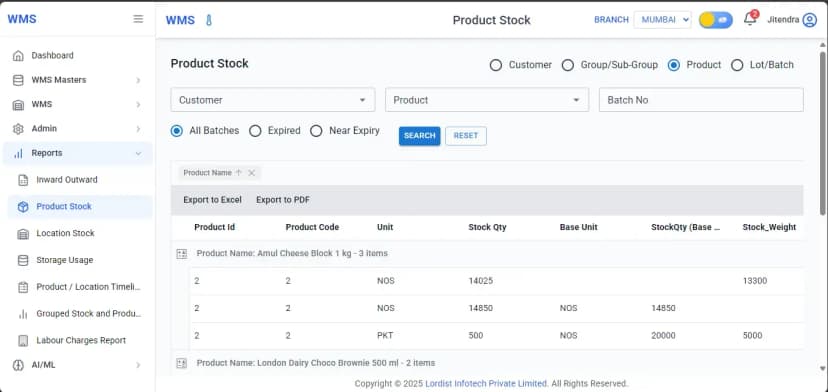
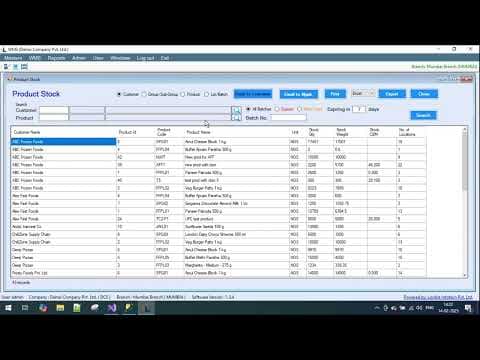
Warehouse management system product stock report showing customer filter, product filter, batch number search and inventory quantity table with export options

Warehouse Product Stock Report Dashboard with Batch, Quantity and Inventory Details
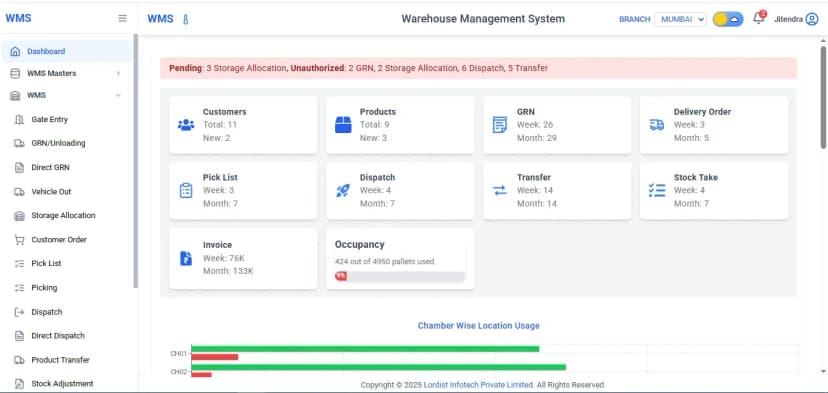
Warehouse management system dashboard showing inventory status, GRN, dispatch, pick list, stock take, transfer details and warehouse occupancy statistics

Warehouse Management System Dashboard Showing Inventory, GRN, Dispatch and Stock Reports
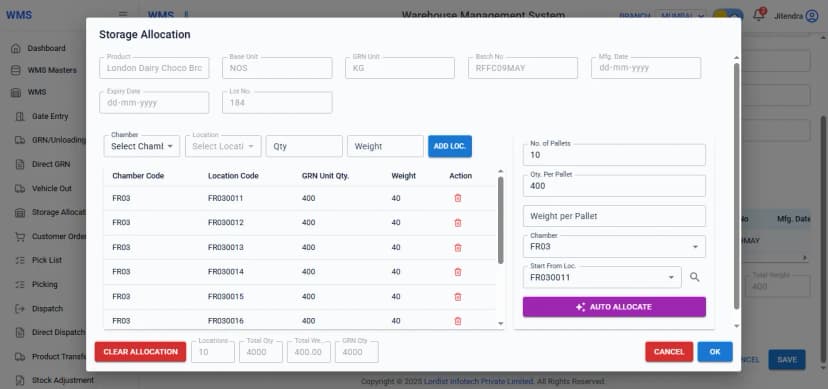
Warehouse management system storage allocation window showing chamber selection, location codes, pallet quantity, batch details and auto allocate option for inventory placement

Warehouse Storage Allocation Screen with Pallet, Chamber and Location Management
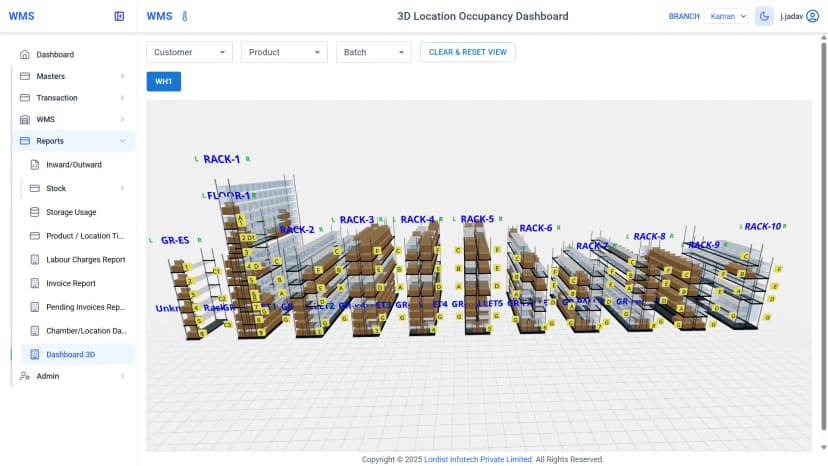
Warehouse management system 3D dashboard showing rack locations, pallet positions, storage usage and occupancy status across multiple warehouse chambers

3D Warehouse Location Occupancy Dashboard Showing Rack Space and Storage Status
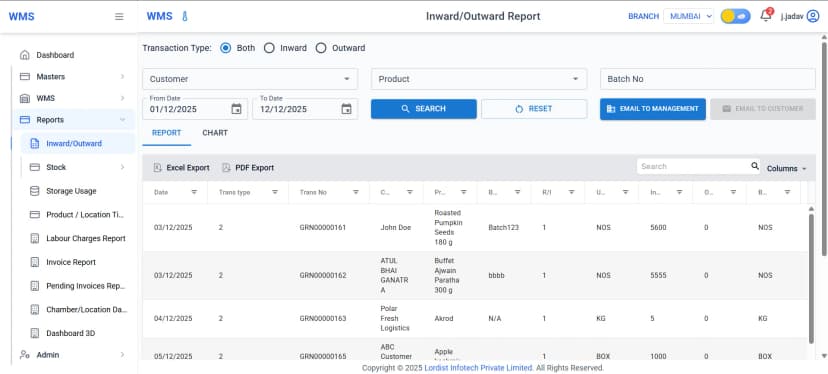
Warehouse management system inward and outward report screen showing product transactions, customer details, batch numbers, stock quantities and export options

Warehouse Inward and Outward Inventory Report Dashboard with Stock Movement Data

Mobile App Screenshots
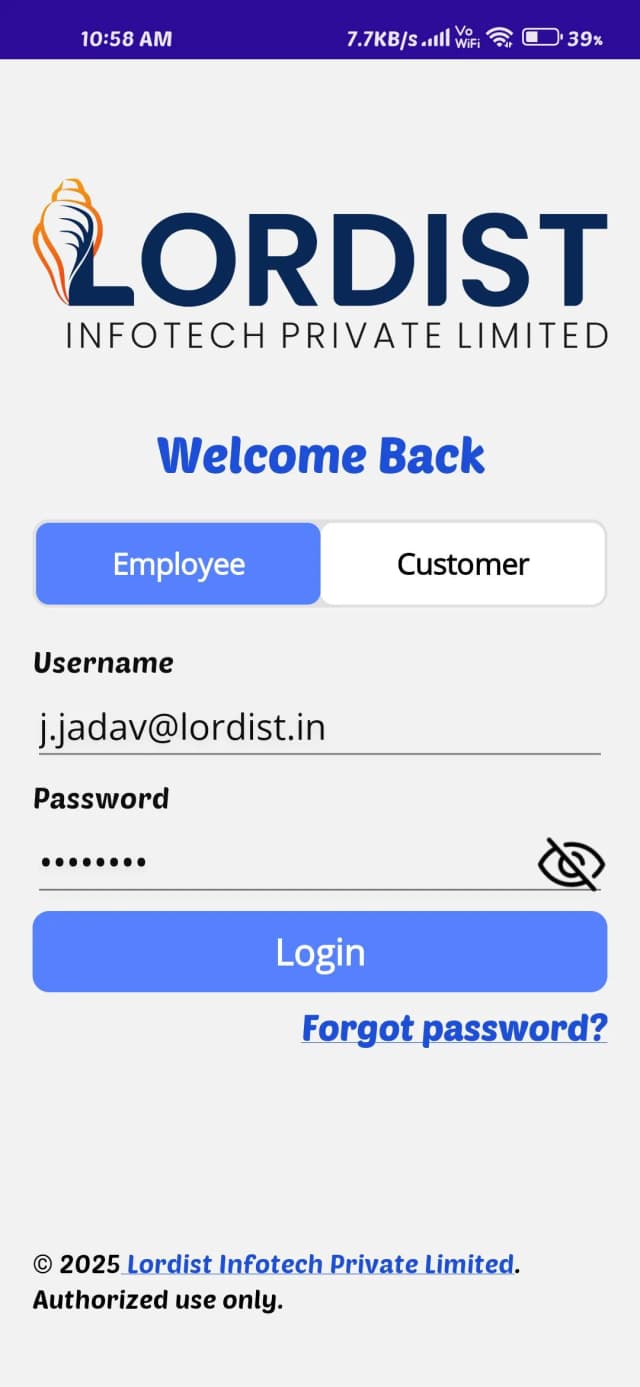
Mobile login screen for warehouse management system showing employee and customer login options with username and password fields
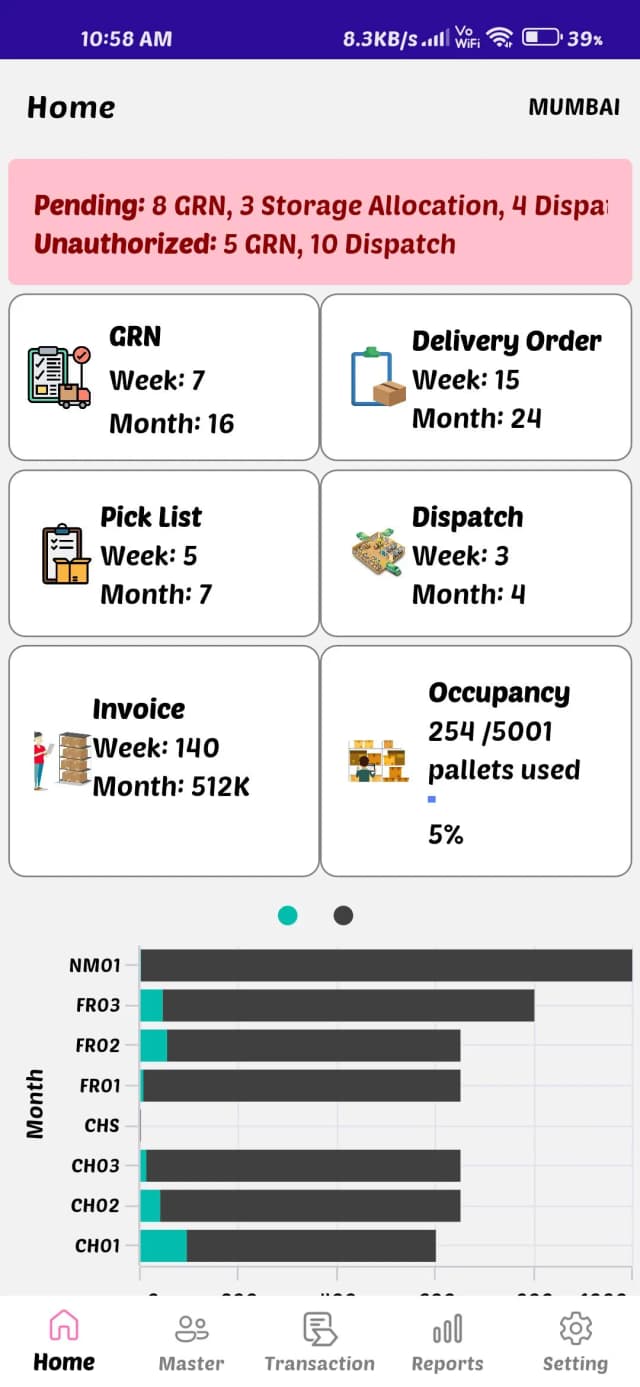
Mobile warehouse management system dashboard showing GRN, delivery orders, pick list, dispatch, invoice summary and pallet occupancy statistics
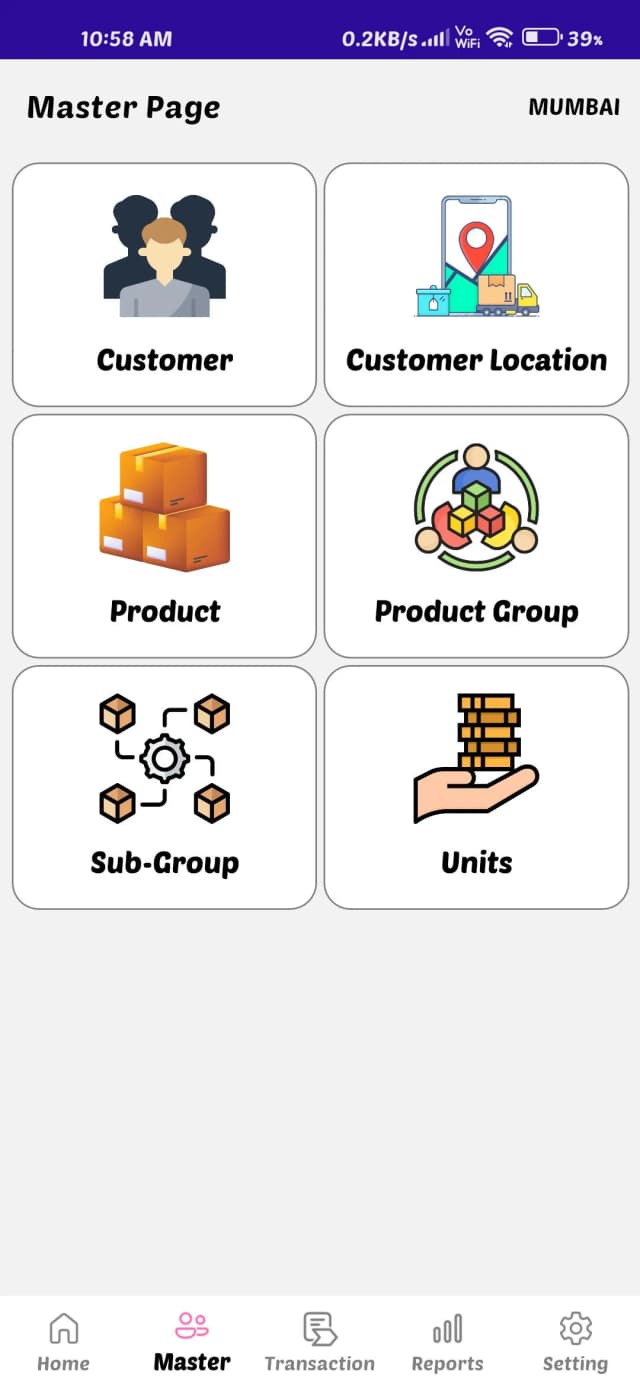
Mobile warehouse management system master page showing customer details, customer location, product setup, product group, sub group and unit configuration options
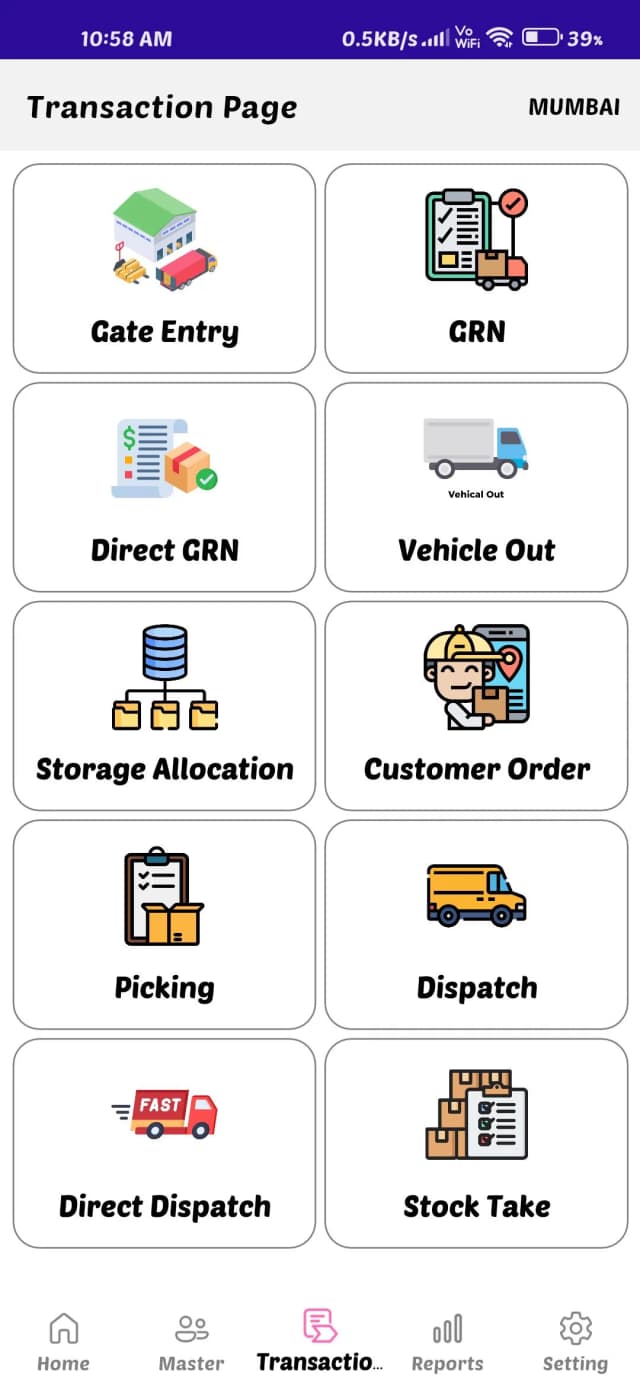
Mobile warehouse management system transaction page showing gate entry, GRN, direct GRN, vehicle out, storage allocation, customer order, picking, dispatch, direct dispatch and stock take options
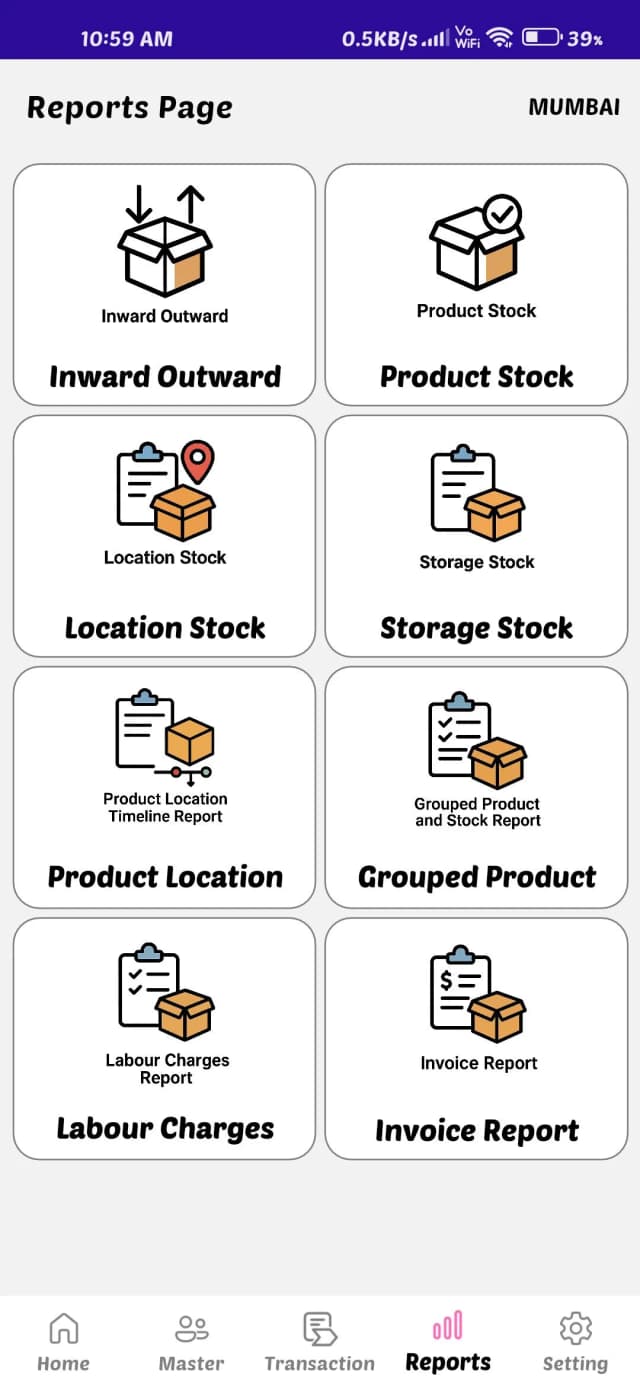
Mobile warehouse management system reports page showing inward outward report, product stock report, location stock report, storage stock report, labour charges report and invoice report
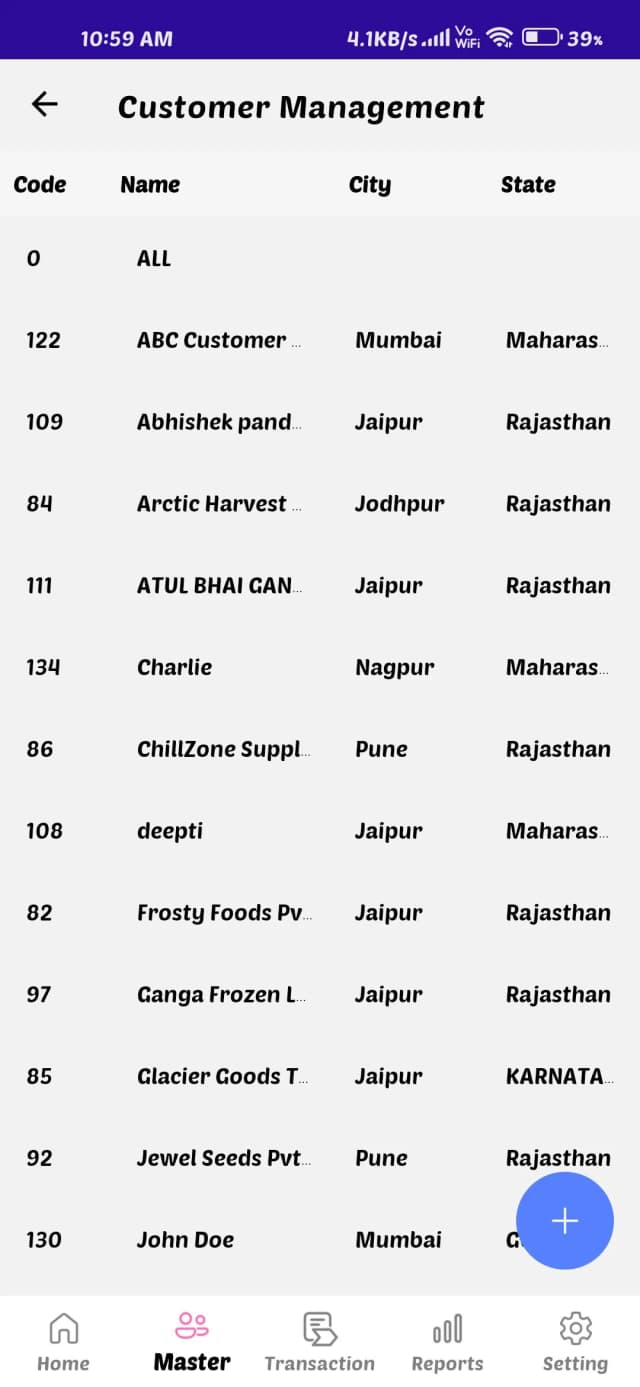
Mobile warehouse management system customer management screen showing customer code, name, city and state details with customer list records
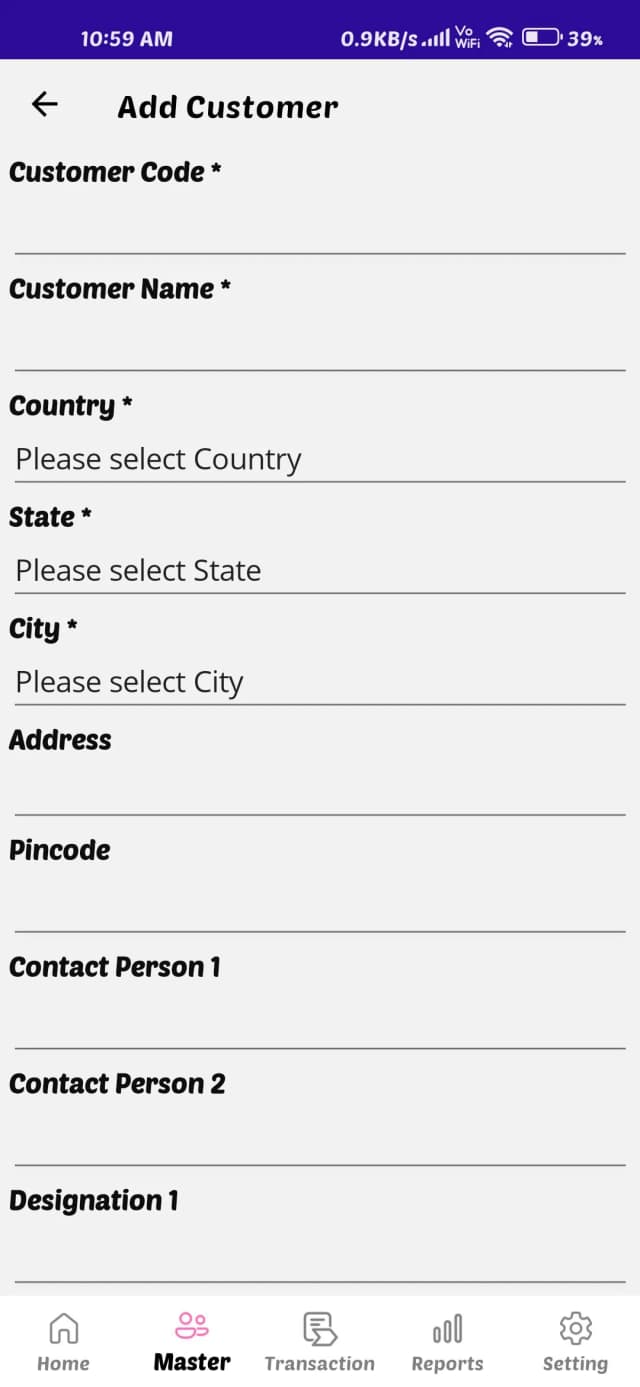
Mobile app Add Customer form showing fields for customer code, customer name, country, state, city, address, pincode, and contact person details
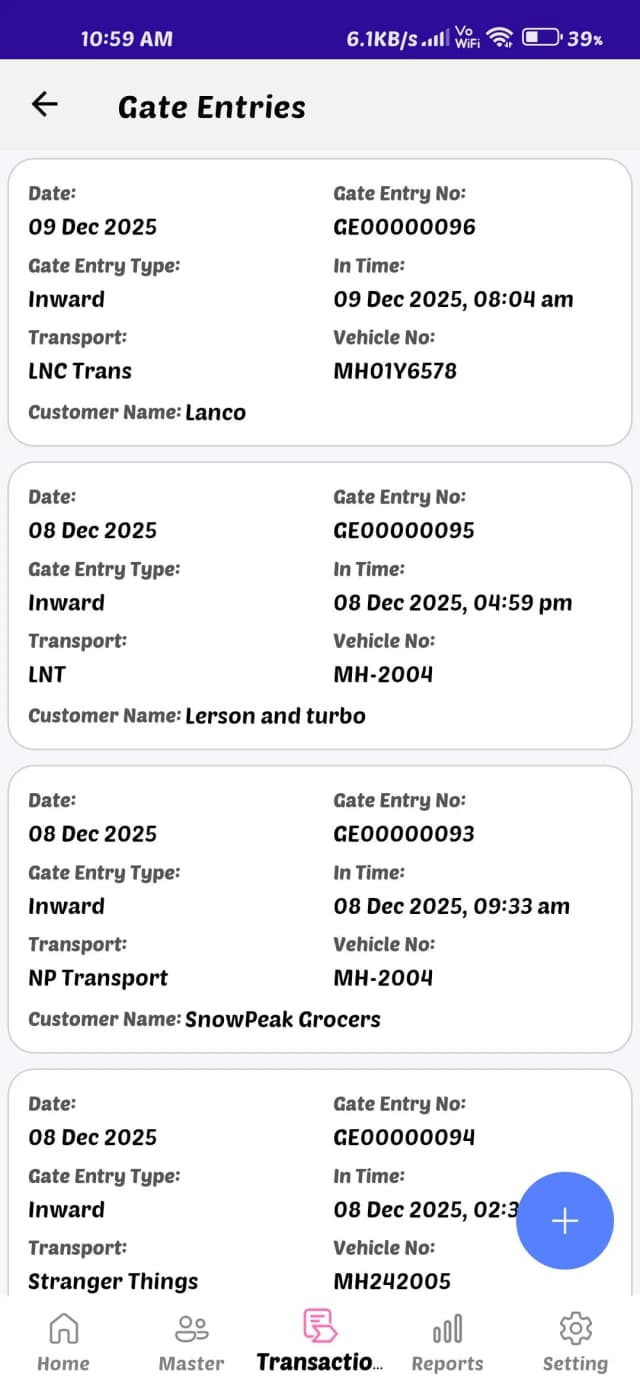
Mobile app gate entry list showing inward entries with date, gate entry number, vehicle number, transport name, and customer details
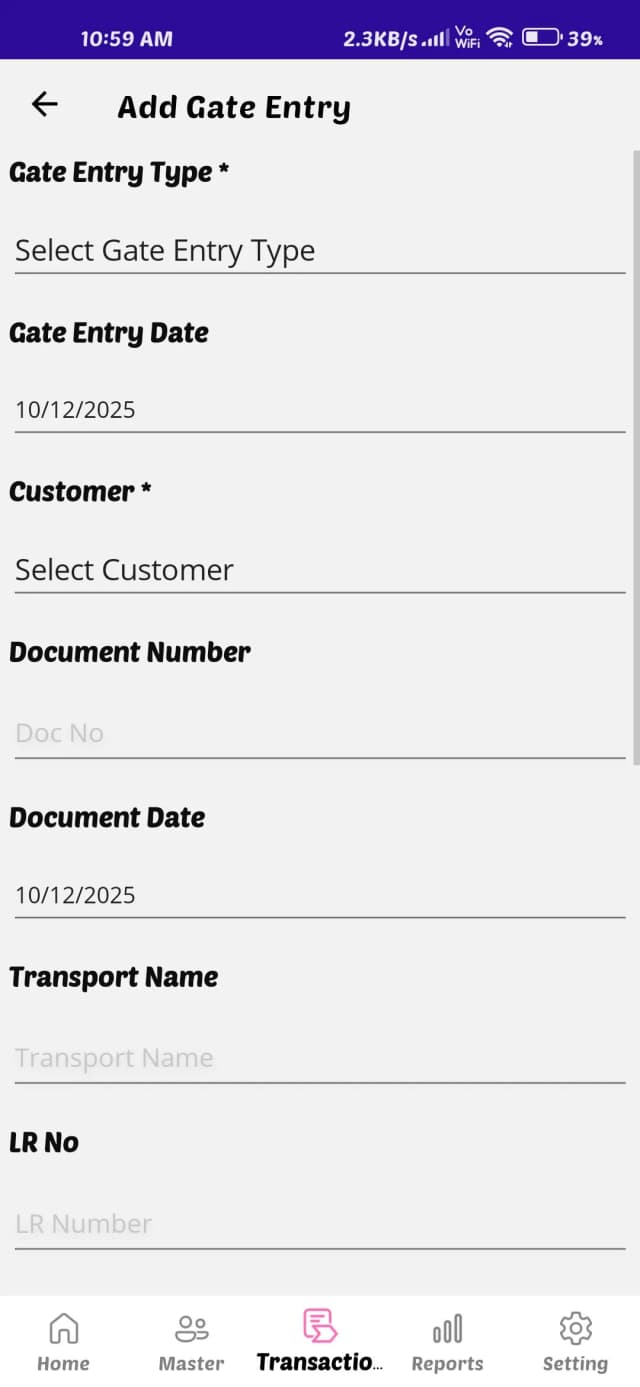
Mobile app add gate entry form showing fields for gate entry type, date, customer name, document number, transport name, and LR number
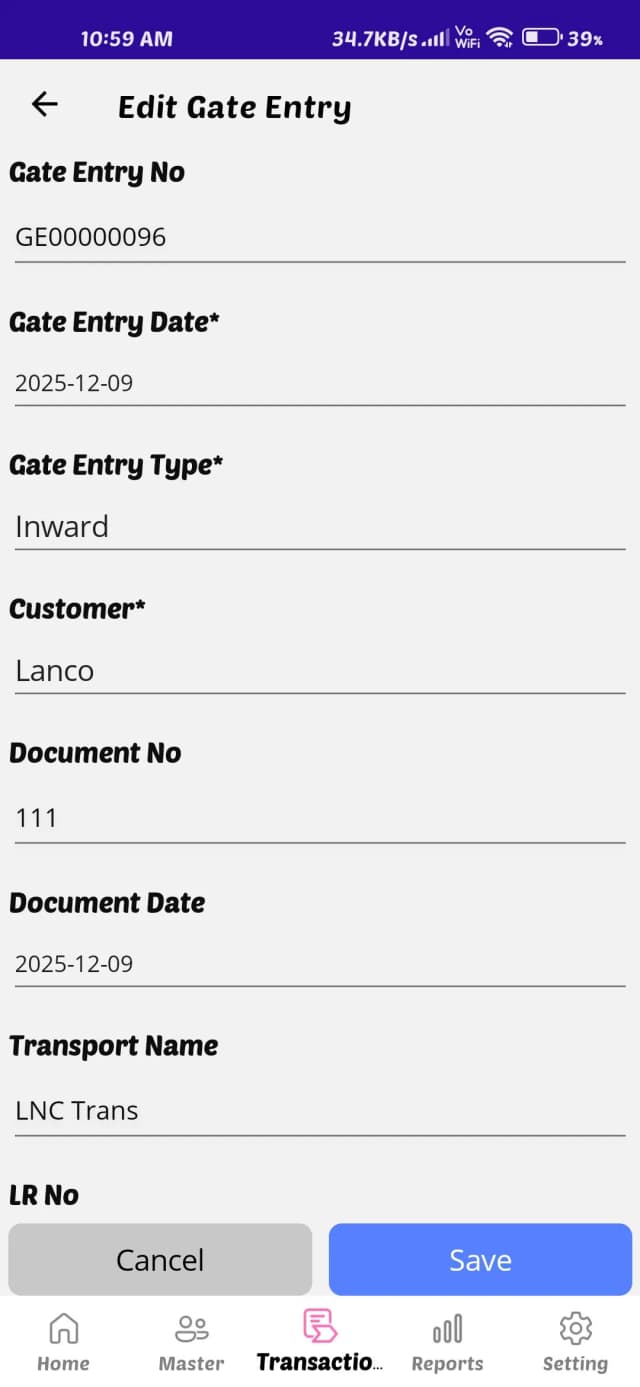
Mobile app edit gate entry screen showing gate entry number, entry date, customer name, document number, transport name, and save button
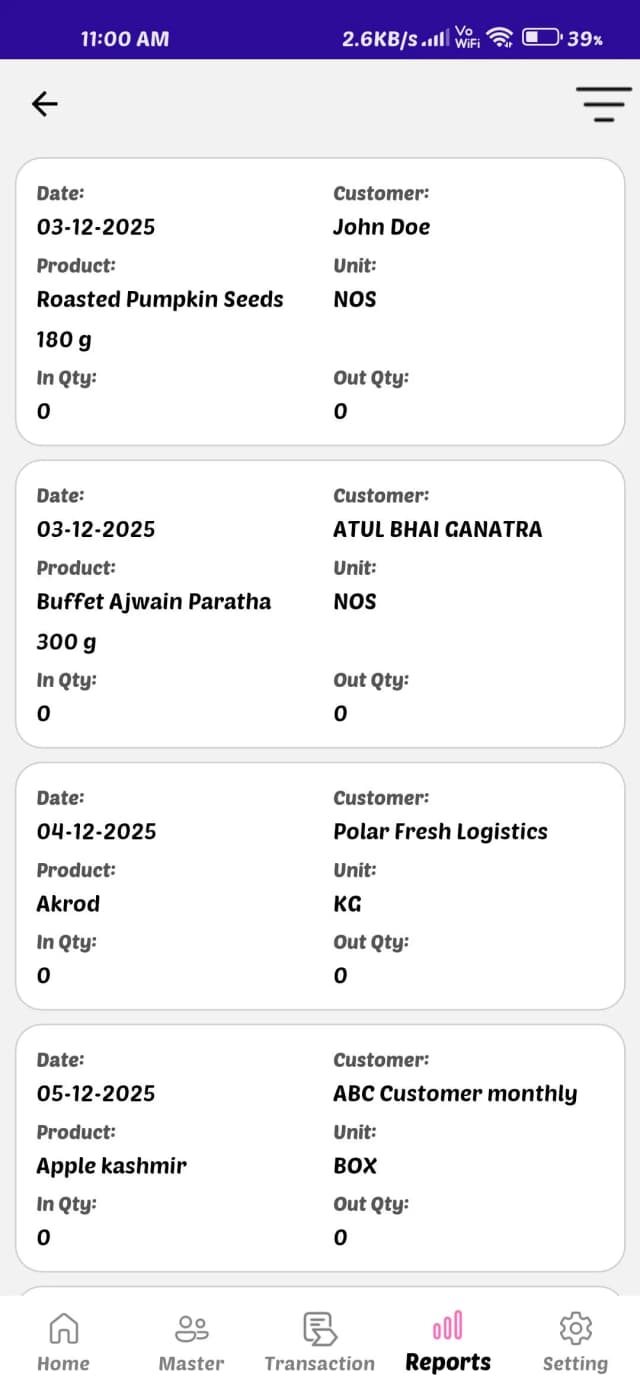
Mobile app product report screen showing item list with date, customer name, product name, unit type, and in quantity and out quantity details
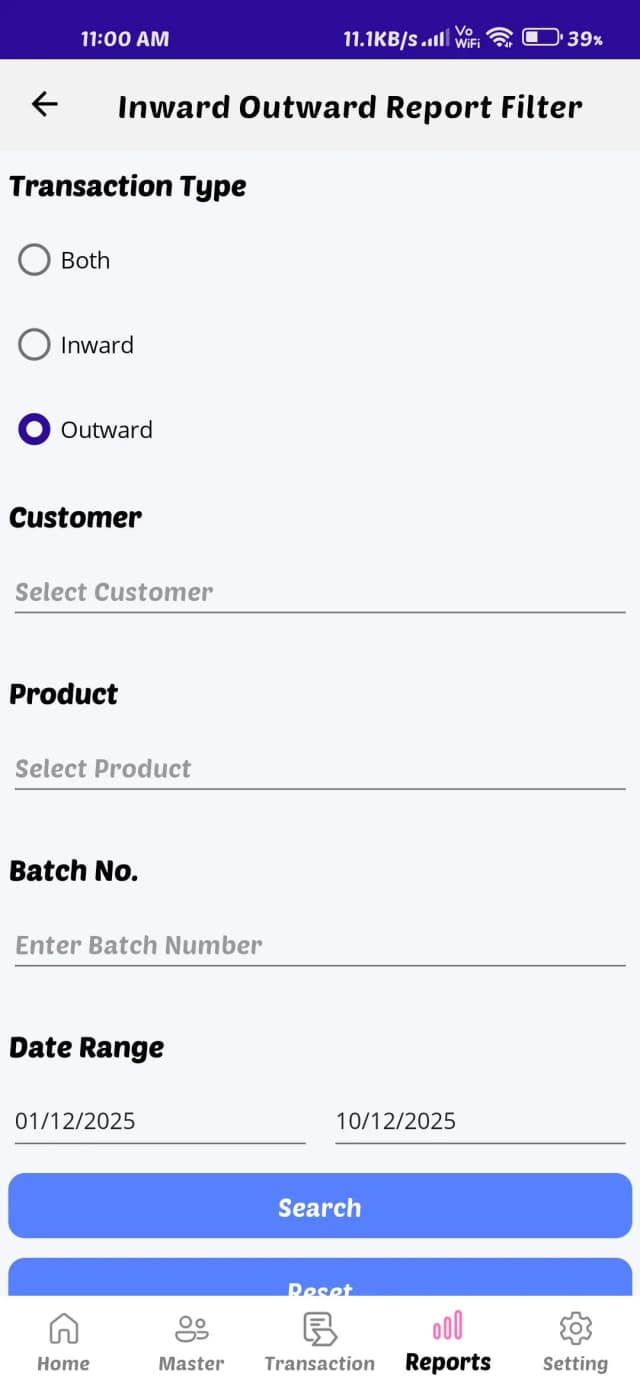
Mobile app report filter screen showing options for inward or outward transaction type with customer, product, batch number, and date range fields
Mobile login screen for warehouse management system showing employee and customer login options with username and password fields
Mobile warehouse management system dashboard showing GRN, delivery orders, pick list, dispatch, invoice summary and pallet occupancy statistics
Mobile warehouse management system master page showing customer details, customer location, product setup, product group, sub group and unit configuration options
Mobile warehouse management system transaction page showing gate entry, GRN, direct GRN, vehicle out, storage allocation, customer order, picking, dispatch, direct dispatch and stock take options
Mobile warehouse management system reports page showing inward outward report, product stock report, location stock report, storage stock report, labour charges report and invoice report
Mobile warehouse management system customer management screen showing customer code, name, city and state details with customer list records
Mobile app Add Customer form showing fields for customer code, customer name, country, state, city, address, pincode, and contact person details
Mobile app gate entry list showing inward entries with date, gate entry number, vehicle number, transport name, and customer details
Mobile app add gate entry form showing fields for gate entry type, date, customer name, document number, transport name, and LR number
Mobile app edit gate entry screen showing gate entry number, entry date, customer name, document number, transport name, and save button
Mobile app product report screen showing item list with date, customer name, product name, unit type, and in quantity and out quantity details
Mobile app report filter screen showing options for inward or outward transaction type with customer, product, batch number, and date range fields

Frequently Asked Questions

Please reach us at careers@lordist.in if you cannot find an answer to your question.

We recommend minimum hardware configuration as under: • Processor Core i3 or higher (3.3GHz or faster processor) • RAM 8 GB or (more Recommended) • HDD 30 GB or more Hard Disk space (SSD Recommended for Faster & smoother experience)

© Copyright 2026 Lordist Infotech Pvt. Ltd., All Rights Reserved.Crafted by lordist.com